Overview
Assessments in NeuronCx let a call get automatically evaluated for quality — the AI listens to (or reads) an interaction and scores it against a defined set of skills and parameters. The evaluation chain works like this: Skill Dimension → Schema → Parameters → Rubric + Prompt → evaluated by AI- A Skill Dimension is a category of ability being measured (e.g. Product Knowledge, Brand Standards).
- A Schema groups related Parameters under a form.
- Each Parameter carries a Rubric (the scoring rule — a score, a flag, or a sentiment) and a Prompt (the instruction the AI uses to judge that parameter against the call).
- The AI runs through every parameter and produces a scored, flagged, and summarized result for the call.
- Apps — where forms, schema, parameters, rubrics, and the workflow are configured
- Cx Ops — where agents are added, and where results and audits are viewed
Prerequisites
Before starting a new assessment setup, gather the following from the client:- Agent list — the customer executives who will be assessed, along with their branch/location.
- Assessment parameters and agent scoring — the specific skills, questions, and scoring criteria the client wants each call judged against.
1. Skill Mapping Setup
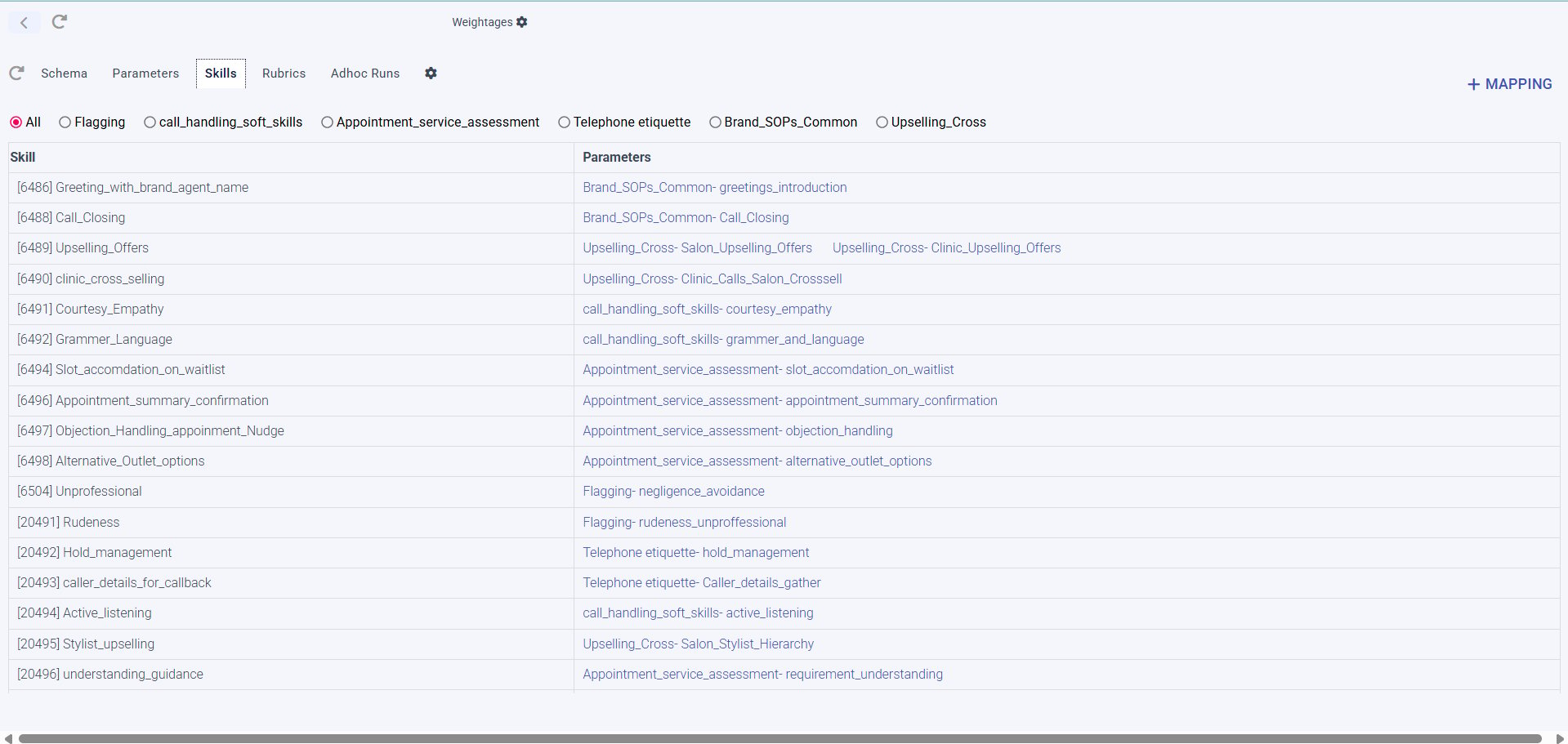
Skill Mapping is the foundation — it defines what abilities are being measured before any form or workflow is built. The entire flow — creating skills and mapping them to parameters — happens on one screen: Apps → Forms → [specific form] → Skills tab.Open the form's Skills tab
Conditional Assessment Form) → select the Skills tab, alongside Schema, Parameters, Rubrics, and Adhoc Runs.Filter by schema
Flagging, call_handling_soft_skills, Appointment_service_assessment, Telephone etiquette, Brand_SOPs_Common, Upselling_Cross) — to narrow the list to one schema’s skills.Review the Skill → Parameter table
[6491] Courtesy_Empathy) to its Parameter, prefixed by the schema it belongs to (e.g. call_handling_soft_skills- courtesy_empathy).A single skill can map to more than one parameter — for example, [6489] Upselling_Offers maps to both Upselling_Cross- Salon_Upselling_Offers and Upselling_Cross- Clinic_Upselling_Offers.Add a new skill-to-parameter mapping
Appointment_service_assessment- objection_handling), which makes it easy to trace a skill back to the schema — and therefore the score bucket — it contributes to.1.2 Skill Definition
Once the skill attribute is onboarded, define its structure and the actual skills within it.Assign Property Types
Subskill_1 through Subskill_5) using + Add. These are the placeholders that will later hold real values.Define Skill Dimensions
Product Knowledge, Brand Standards, Communications Skills, Conversion Skills, Booking Process, Specialized Skills.Attach payloads (subskills) to each dimension
- Subskill_1 → Rates And Packages
- Subskill_2 → Membership Benefits
- Subskill_3 → Offers and Deals
- Subskill_4 → Hotel Details
2. Forms, Schema & Assessment Definitions
With skill dimensions defined, the next step is building the form the assessment will run on, and attaching the schema, parameters, and rubrics that drive scoring — all done under Apps.2.1 Forms
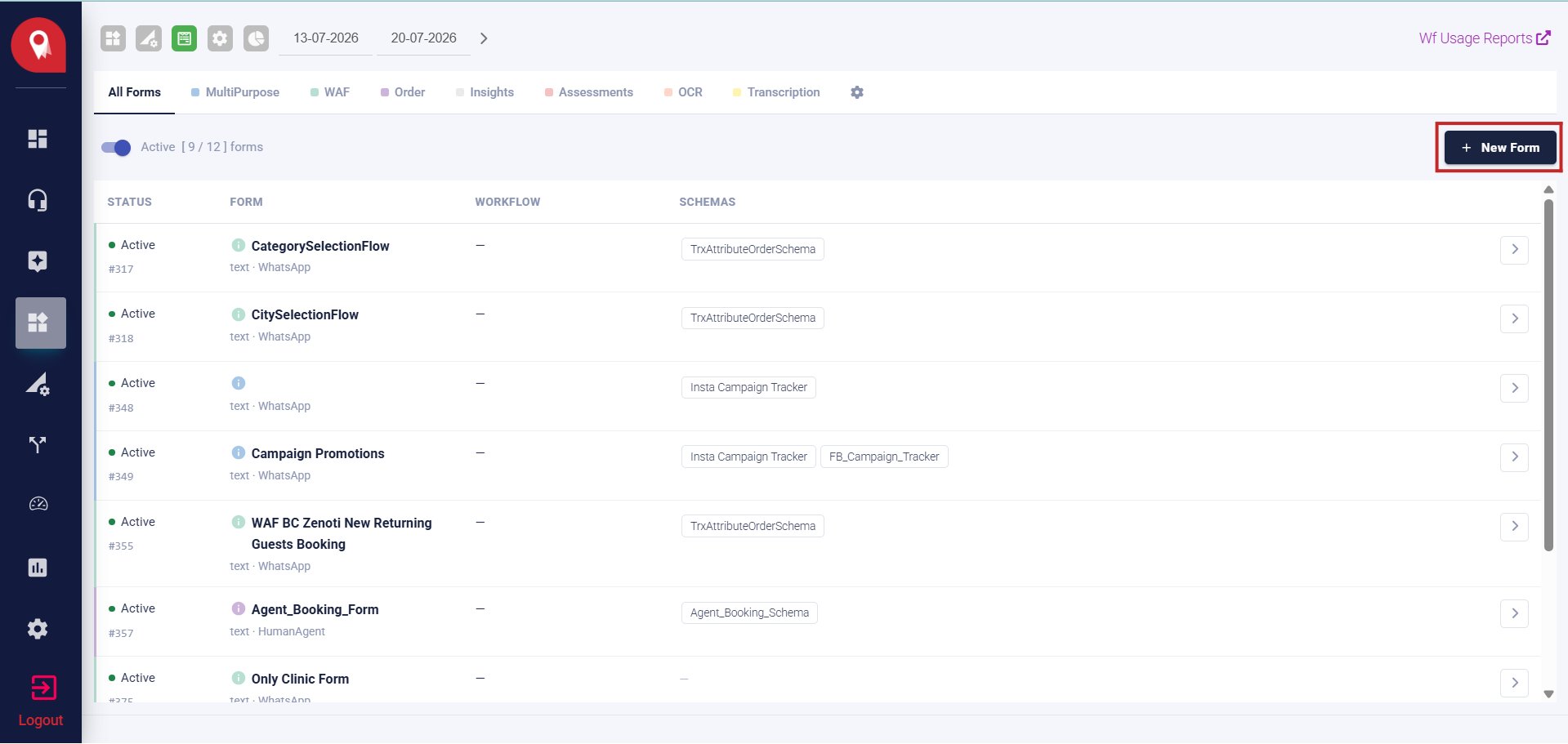
Go to Apps → Forms icon
Select a Form Type tab
Review the forms list
Create a new form
2.2 Schema
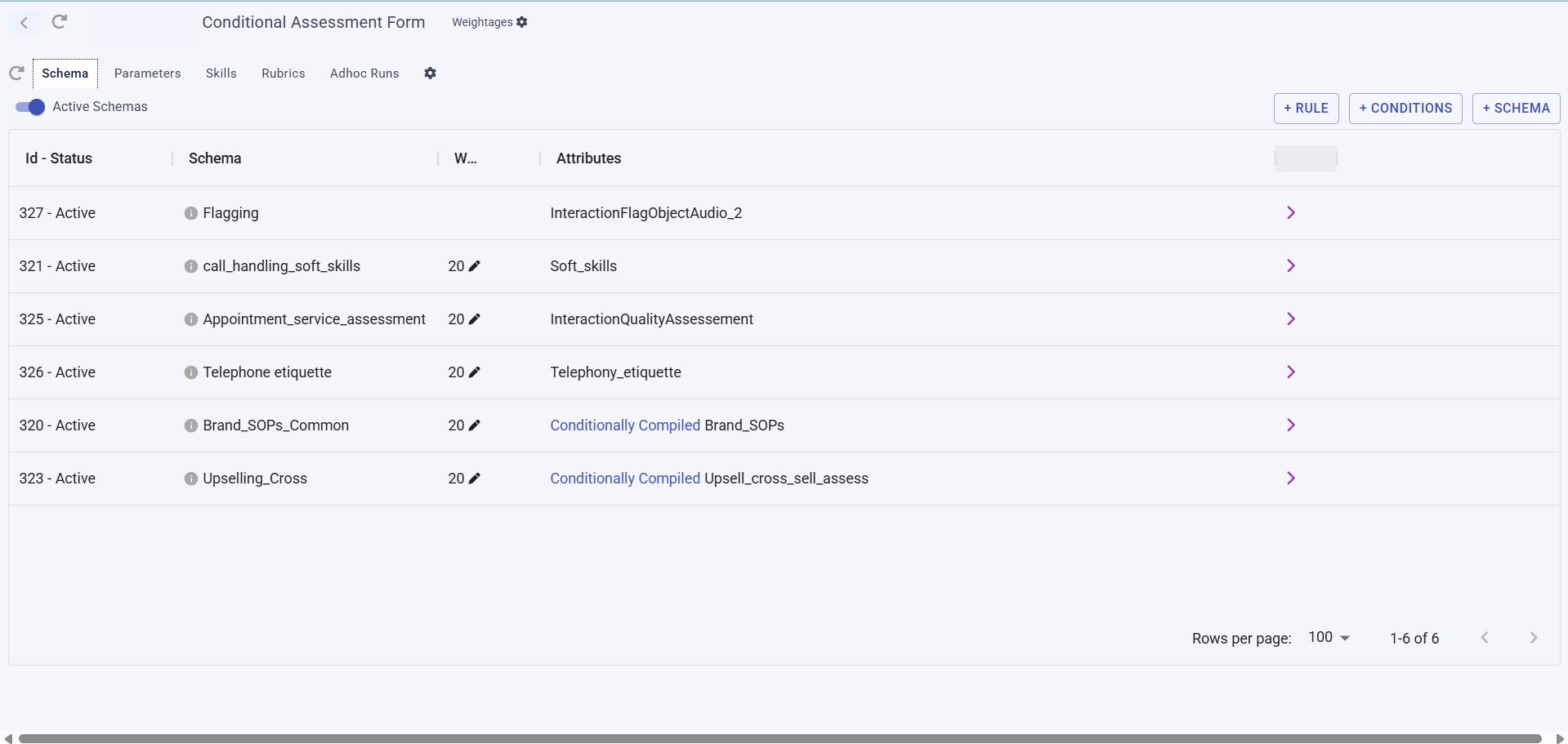
Click into a specific form (e.g.Conditional Assessment Form) to open its detail view. This view has its own tab bar: Schema, Parameters, Skills, Rubrics, Adhoc Runs.
Open the Schema tab
Read the schema table
Brand_SOPs_Common only compiles for Brand_SOPs, Upselling_Cross only compiles for Upsell_cross_sell_assess).Add rules, conditions, or a new schema

2.3 Parameters
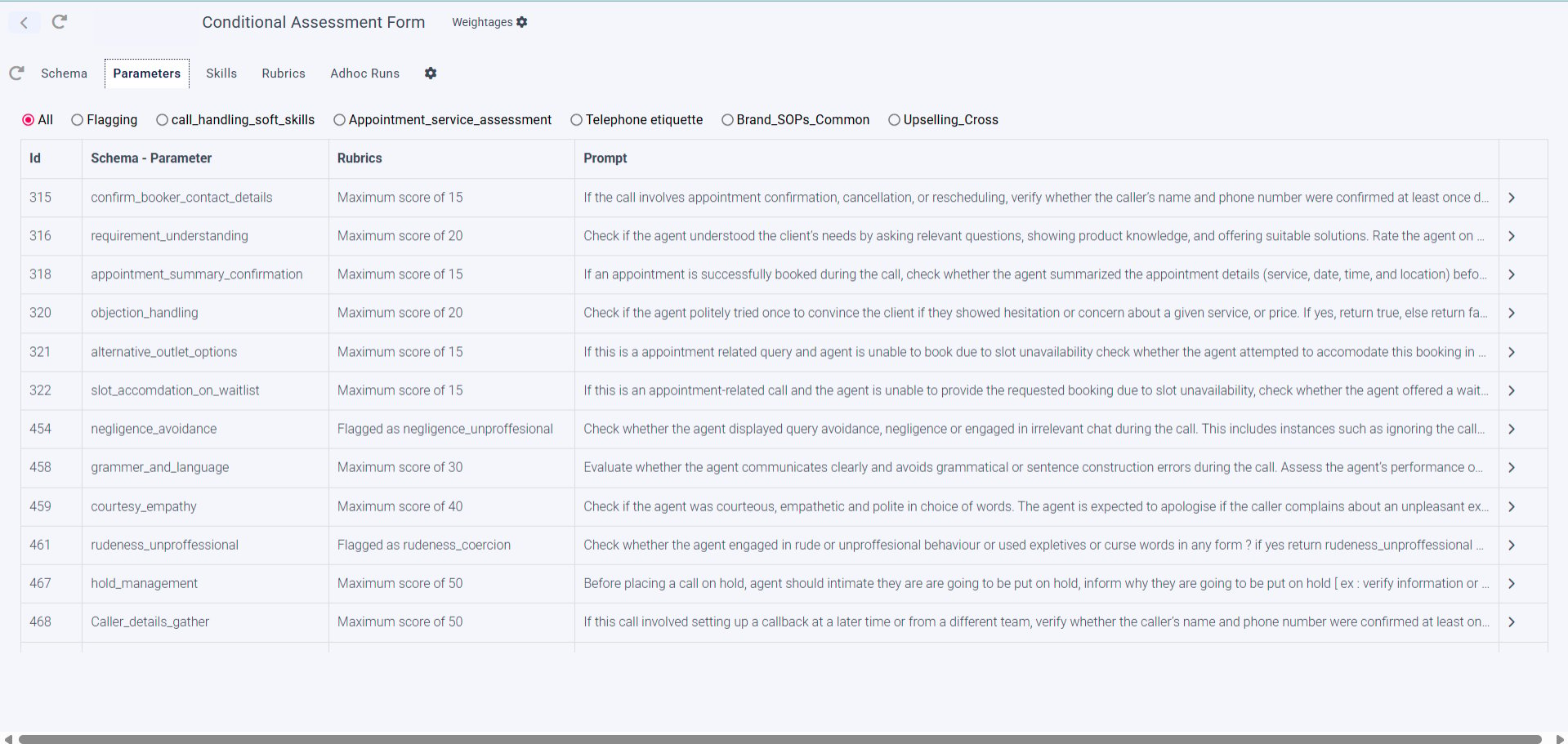
Still inside the same form detail view, the Parameters tab (next to Schema) lists the individual things being scored.Open the Parameters tab
Review each parameter's Rubric and Prompt
- Rubric — the scoring rule, e.g. “Maximum score of 20” or a flag like “Flagged as rudeness_coercion”
- Prompt — the instruction text the AI uses to judge that parameter on the call
Cross-check against the Rubrics tab
2.4 Assessment Definitions
Under Apps → gear/Settings icon, three additional definitions support scoring:- Assessment Typology And Rubrics — the types of rubrics available
- Assessment Flag Definitions — definitions for flag-type parameters
- Assessment Sentiments — definitions for sentiment-type parameters
3. Attribute Mapping
Skill Dimensions on their own don’t drive scoring until they’re mapped to a form’s schema.Go to Apps → gear/Settings icon → Attribute Mapping
Select the form
Ovum_Agent_Skill_Assessment) to see its existing mappings.Map each Skill Dimension to a Schema Key
Soft_Skills_Audit, Filtered_Maternity_Calls). Use + MAPPING to add a new pairing, or the pencil icon to edit an existing one.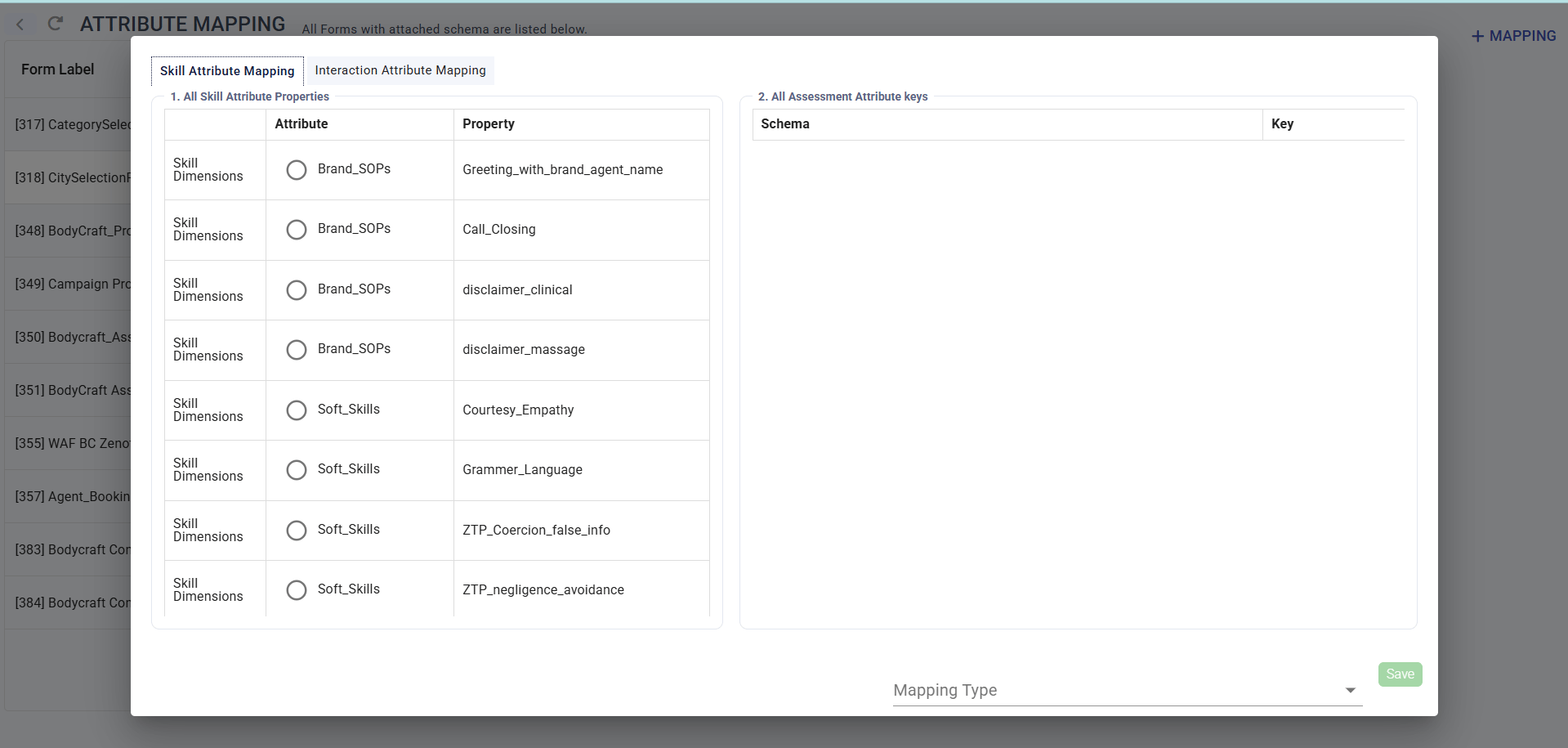
4. Adding Agents
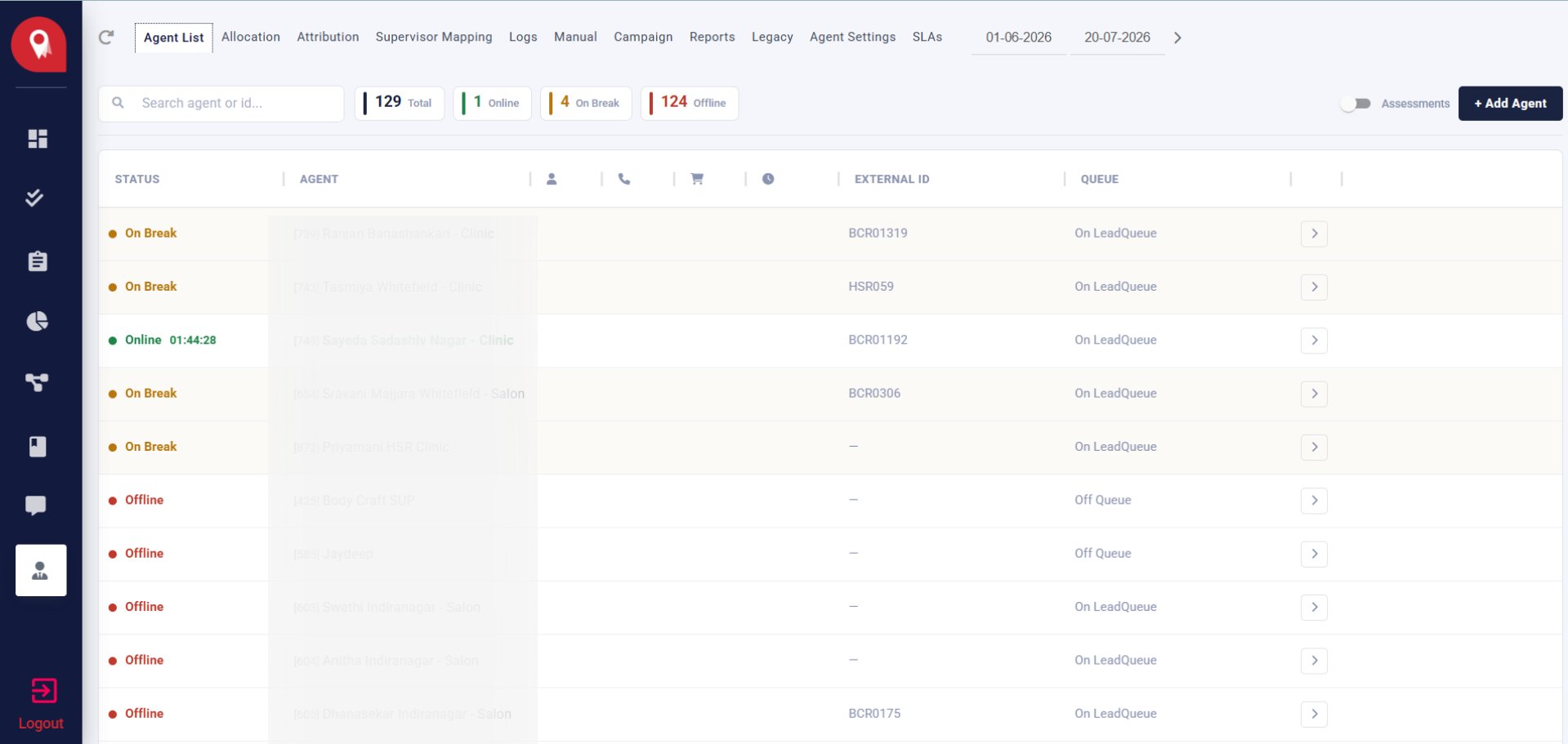
Agents are the customer executives who handle the calls being assessed.Go to Cx Ops → Supervisor Console → Agent List
Add a new agent
Allocate the agent to a branch
5. Creating the Workflow
The workflow is the engine that actually runs the assessment — transcribing the call, applying the schema, and scoring it against the rubric.5.1 Workflow Blocks
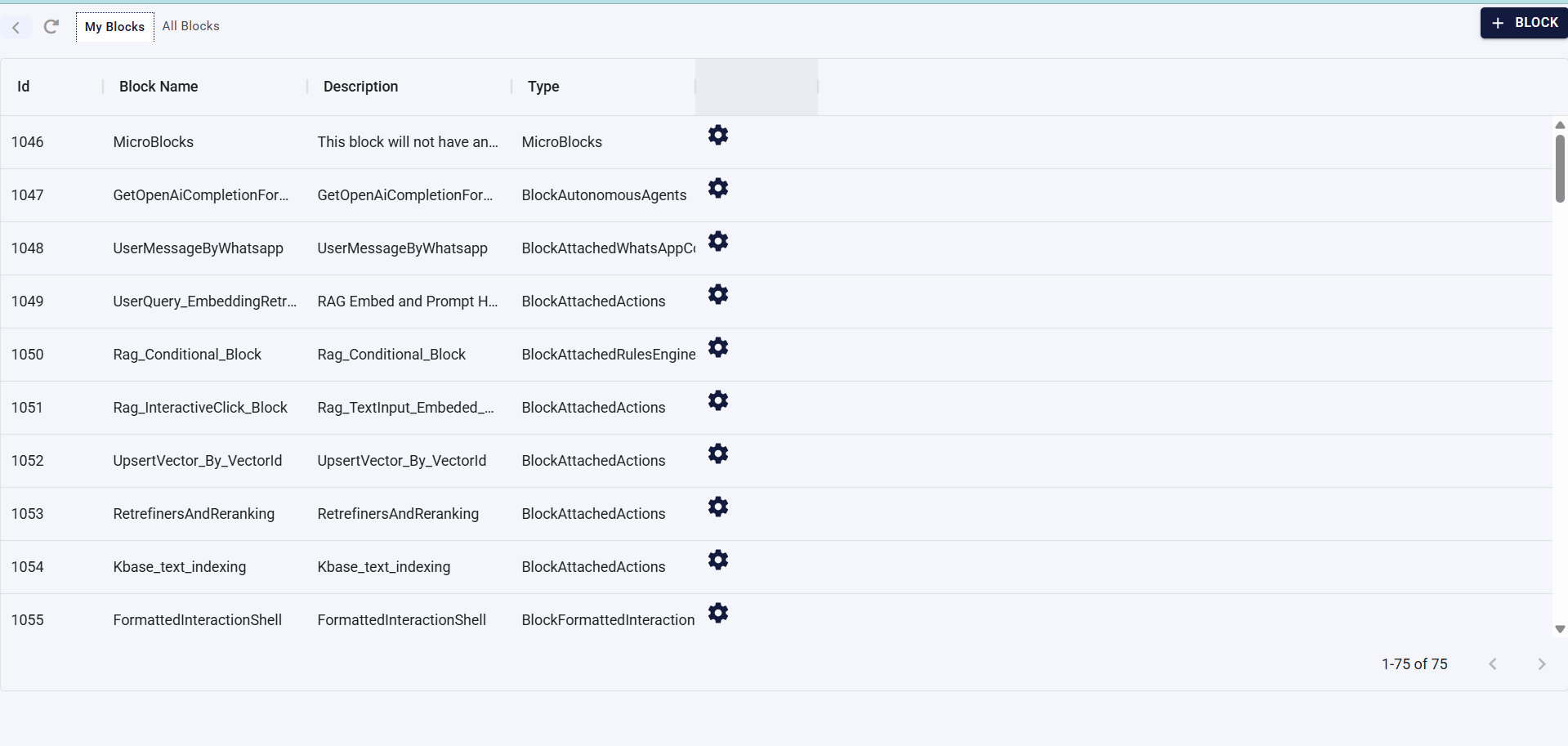
Go to Apps → gear icon (Resources and Settings)
Open Workflow Blocks
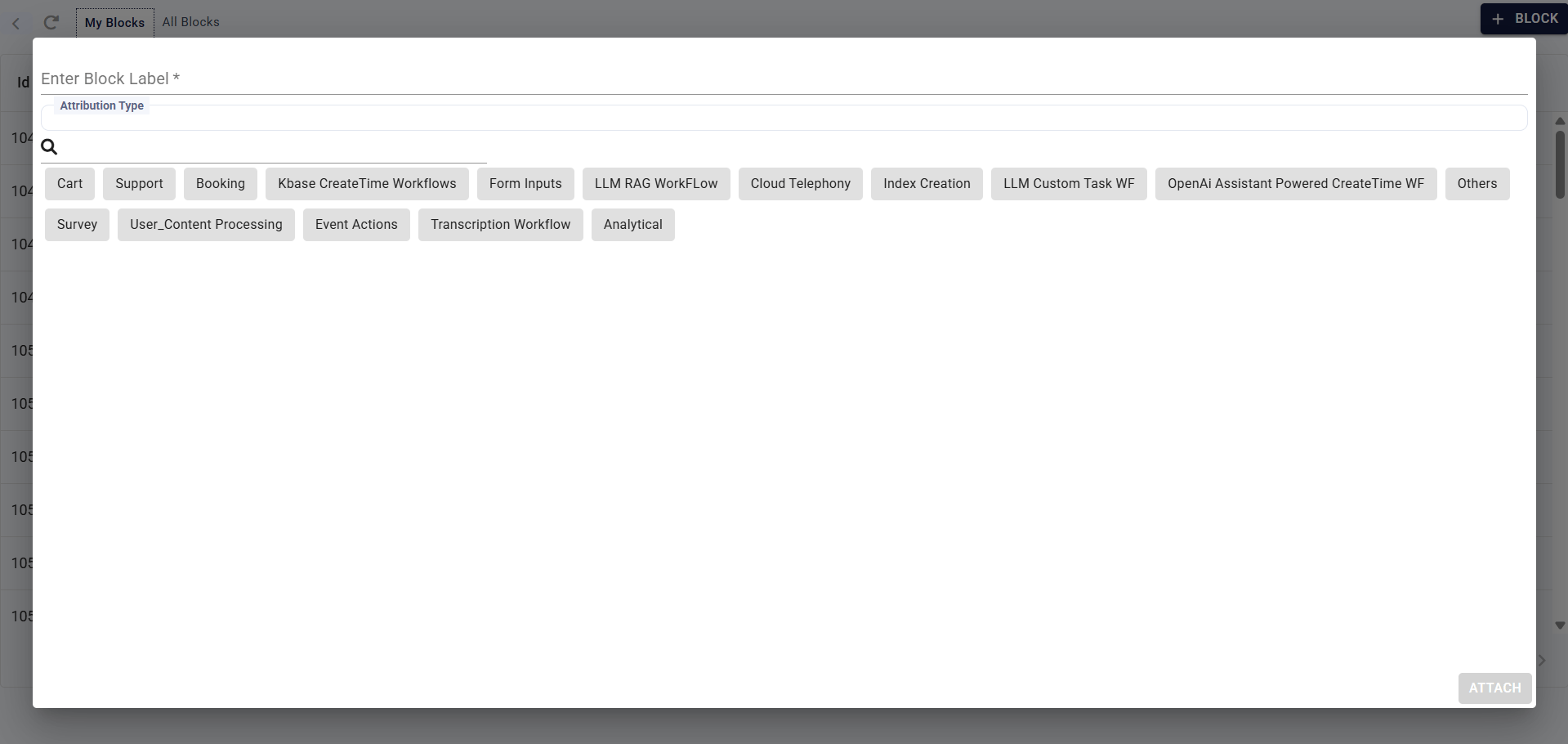
5.2 Creating a New Block
Click + BLOCK
Fill in the Block Label and Attribution Type
Attach the block
5.3 The Workflow Canvas
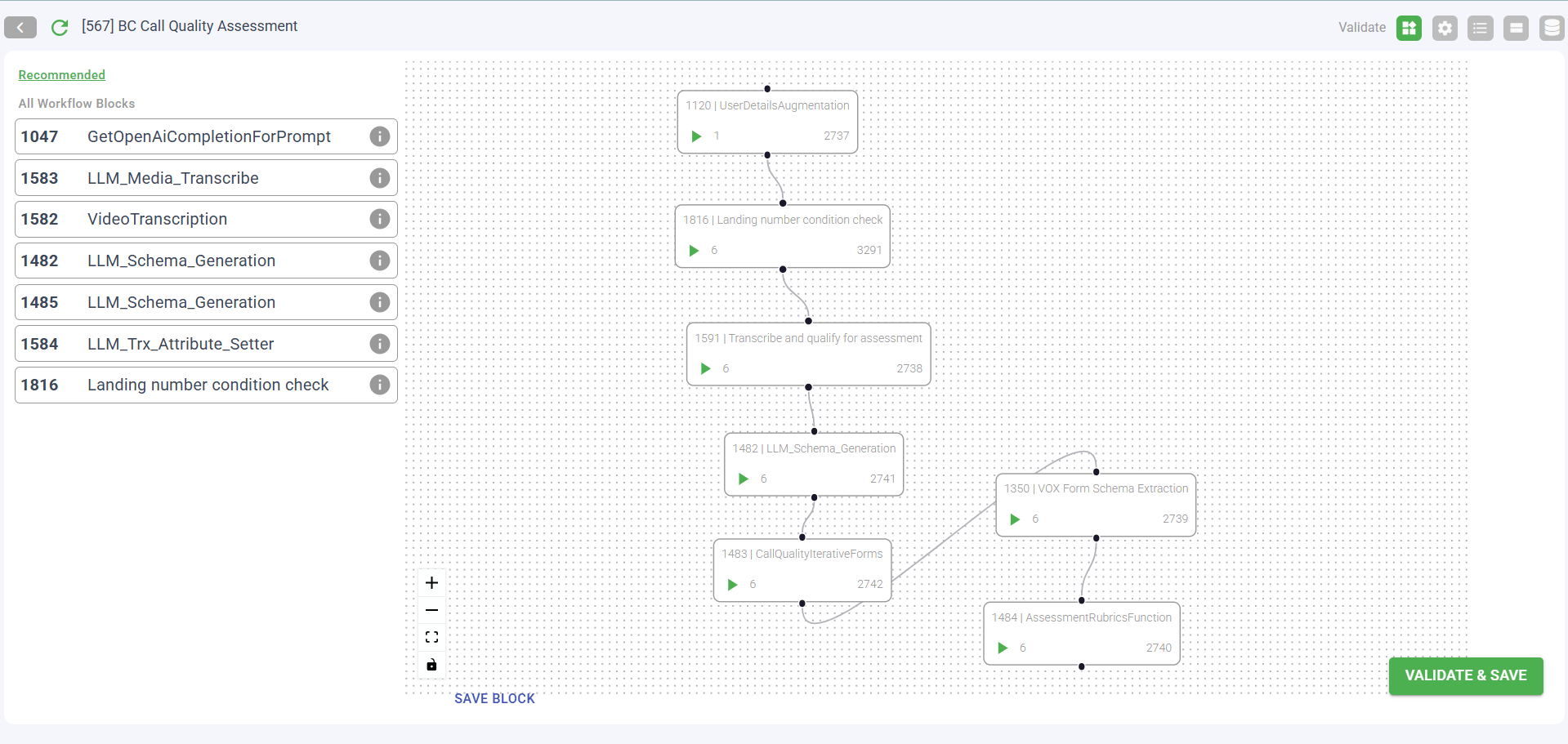
Opening a workflow directly (via the arrow next to it in the Assessments list) shows its visual node pipeline — the actual sequence of steps a call goes through. Example pipeline for a call quality assessment workflow:- UserDetailsAugmentation — enriches caller/user details
- Landing number condition check — checks the number/routing
- Transcribe and qualify for assessment — transcribes the call and qualifies it for scoring
- LLM_Schema_Generation — generates the assessment output per schema
- Branches into CallQualityIterativeForms, VOX Form Schema Extraction, and AssessmentRubricsFunction — which applies the final rubric scoring logic