
Overview
Once agents, forms, schema, mapping, and the workflow are all in place (see Setup), results start appearing under Cx Ops → Assessments. This page covers the dashboard-level summary — the first place to check whether the assessment is running and how coverage looks. For a deeper breakdown by agent, see Analyse. To review a single call’s evidence, see Audit.1. Dashboard Summary
1
Open Cx Ops → Assessments
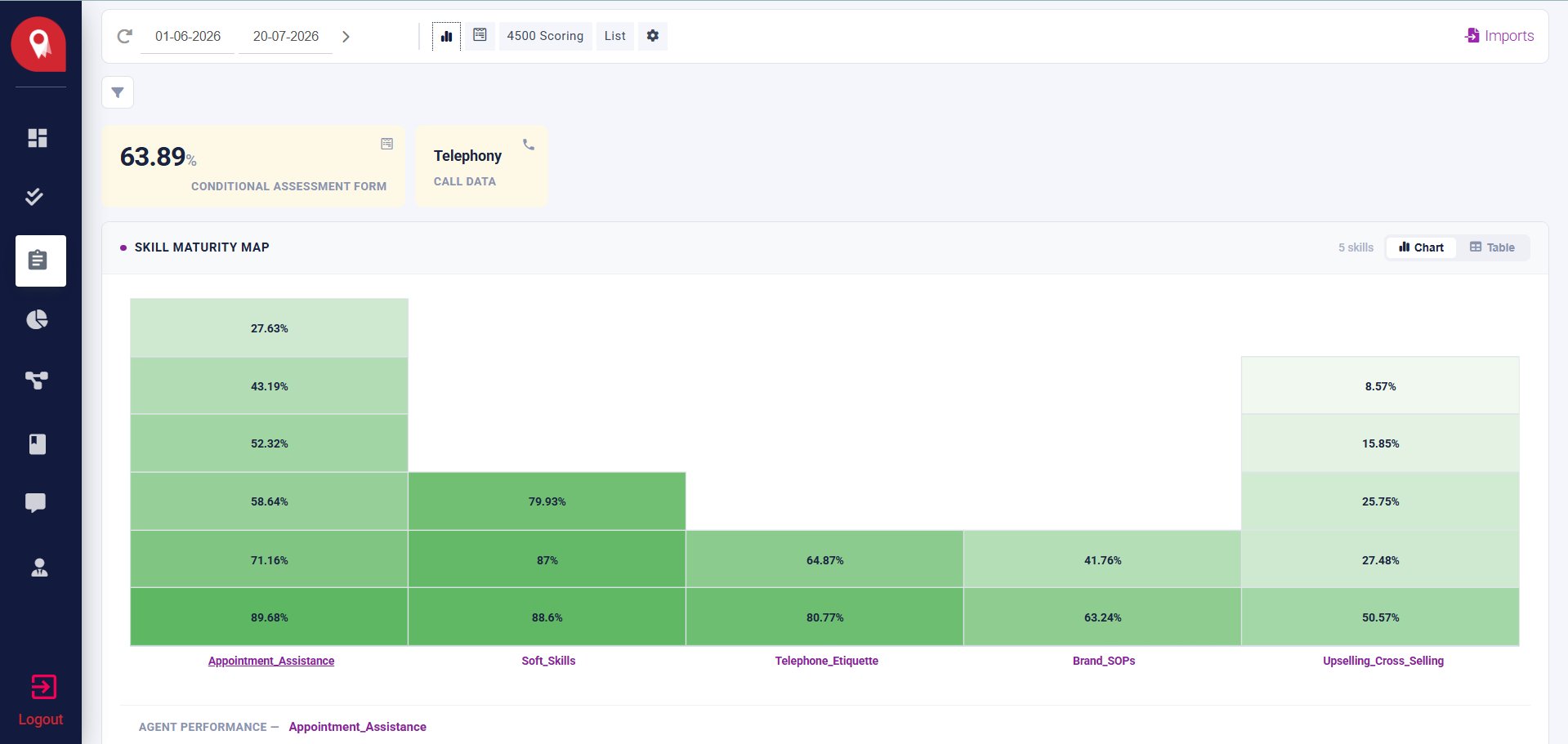
The dashboard shows an overall score card for the assessment form, plus a Skill Maturity Map — a heatmap broken down by Skill Dimension (e.g. Appointment_Assistance, Soft_Skills, Telephone_Etiquette, Brand_SOPs, Upselling_Cross_Selling).
2
Switch between Chart and Table views
Use the date range filter and the Chart / Table toggle to adjust the view.
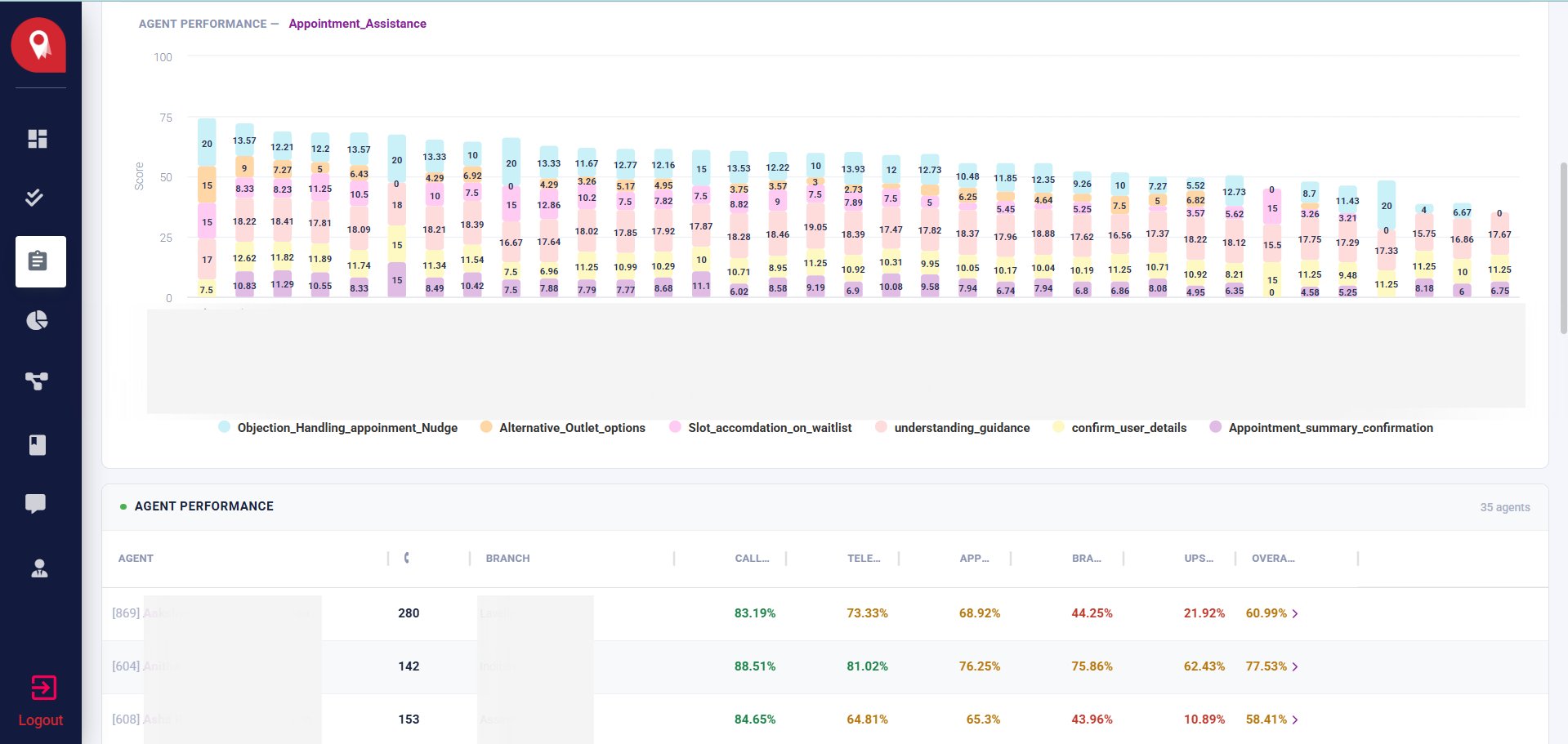
The counters at the top — Scoring, Flagging, Sentiment Tagging — along with total call count vs. total call processed count, give a quick sense of how much of the call volume has been evaluated.